
Design your tapestry crochet patterns
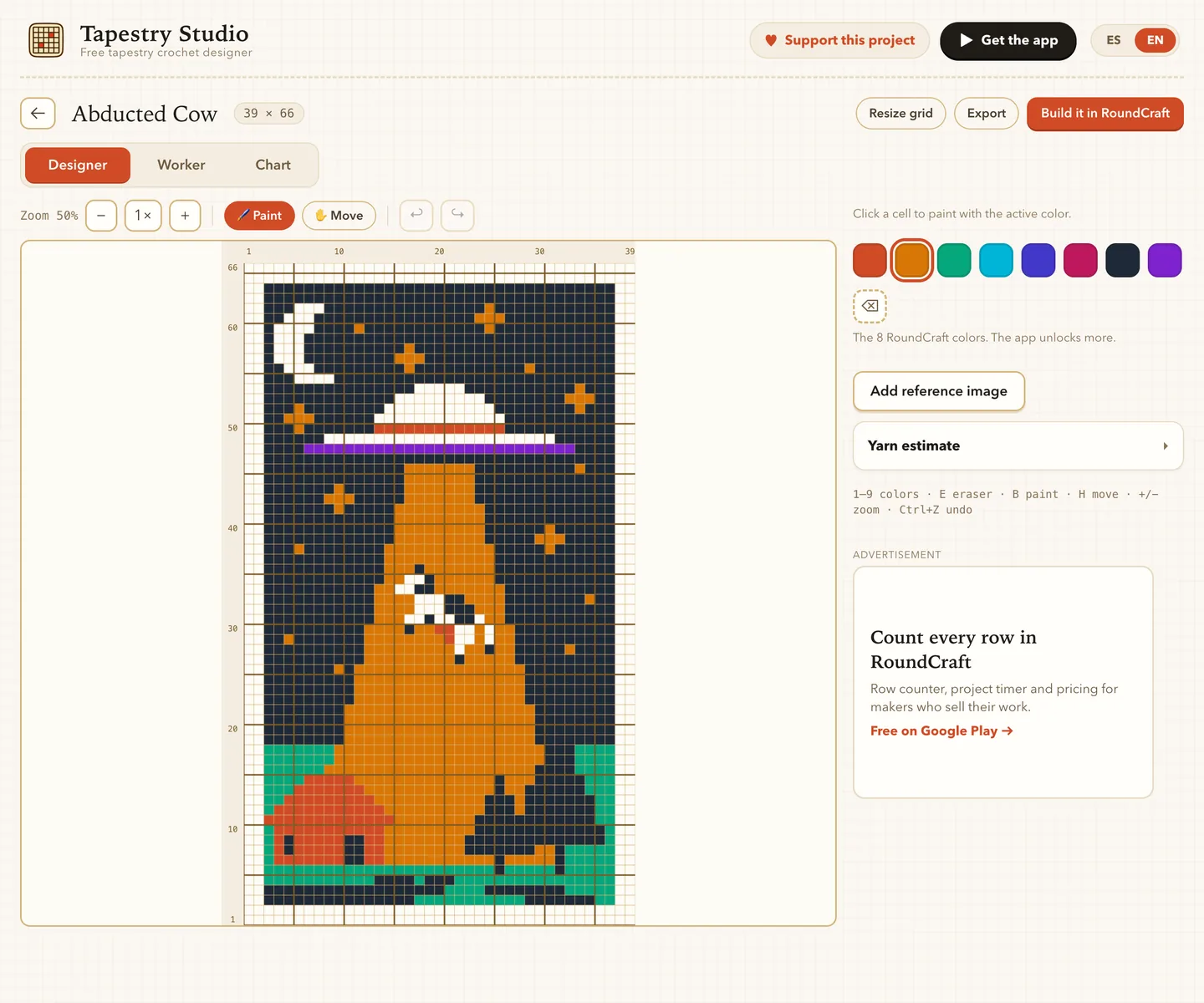
Draw your chart stitch by stitch in the browser, follow it row by row while you crochet, and keep it on your own device. Free, with no account.
Everything a tapestry chart needs
-
Grids up to 100 × 100
Paint, erase, zoom and undo. Resize the grid whenever the design grows.
-

The eight RoundCraft colours
A bright, high-contrast palette that reads clearly on a chart and in yarn.
-
Crochet mode
Follow the chart one stitch at a time, row by row, with right and wrong side marked.
-

Written rows
Every row spelled out in working order, for when you prefer reading to counting squares.
-

Trace a picture
Put an image behind the grid, adjust its size and opacity, and paint over it.
-

Yarn estimate
How many stitches of each colour, and roughly how much yarn that takes.

Your designs stay with you
Patterns are saved in your browser, and nothing is uploaded. Download a copy whenever you want to keep one safe or move it to another computer, and export a PNG to share it.
How it works
- 1
Create a pattern
Give it a name and choose how many stitches wide and rows high.
- 2
Paint it
Pick a colour and tap the squares. Drag to paint several at once.
- 3
Crochet it
Switch to crochet mode and follow your chart one stitch at a time.
 Made by the RoundCraft team
Take it further in RoundCraft
Send your design to the RoundCraft app with a QR code and crochet it on your phone, with row counters and a timer for every project.
Get it on Google PlayQuestions
Is it really free?
Yes. The Studio is free and has no account, trial or watermark on your chart.
Where are my patterns saved?
In your browser, on this device. Nothing reaches our servers. If you clear your browser data they are gone, so download a copy of the ones you care about.
Why only eight colours?
They are the free palette of the RoundCraft app, so anything you design here opens there exactly as you drew it. RoundCraft Premium adds more colours inside the app.
Does it work on a phone?
It runs in the phone browser, but a computer or tablet gives you room to paint comfortably.